Dice Roller - Everything You Need to Know
Looking for a simple, reliable way to roll dice without the hassle of physical ones disappearing under the furniture or causing arguments over “was that really a six?” Our **free online dice roller** is designed exactly for that. This virtual dice roller works instantly in your browser on any device — phone, tablet, laptop, or desktop — with no download, no account, and no waiting.
The best part? Every single roll is generated using **crypto.getRandomValues()**, the same secure cryptographic method used in modern web security. This makes it a truly fair random dice generator, giving you peace of mind whether you're playing for fun or running an important game moment.
It's perfect for quick decisions, family game nights, or serious tabletop sessions. The clean interface, satisfying animations, and useful features make this virtual dice roller feel like a real companion rather than just another tool.
How to Use Our Online Dice Roller - Step by Step
I've used this dice roller dozens of times with my daughter and friends, and it's genuinely easy to pick up. Here's exactly how it works in practice when you want to roll dice online free:
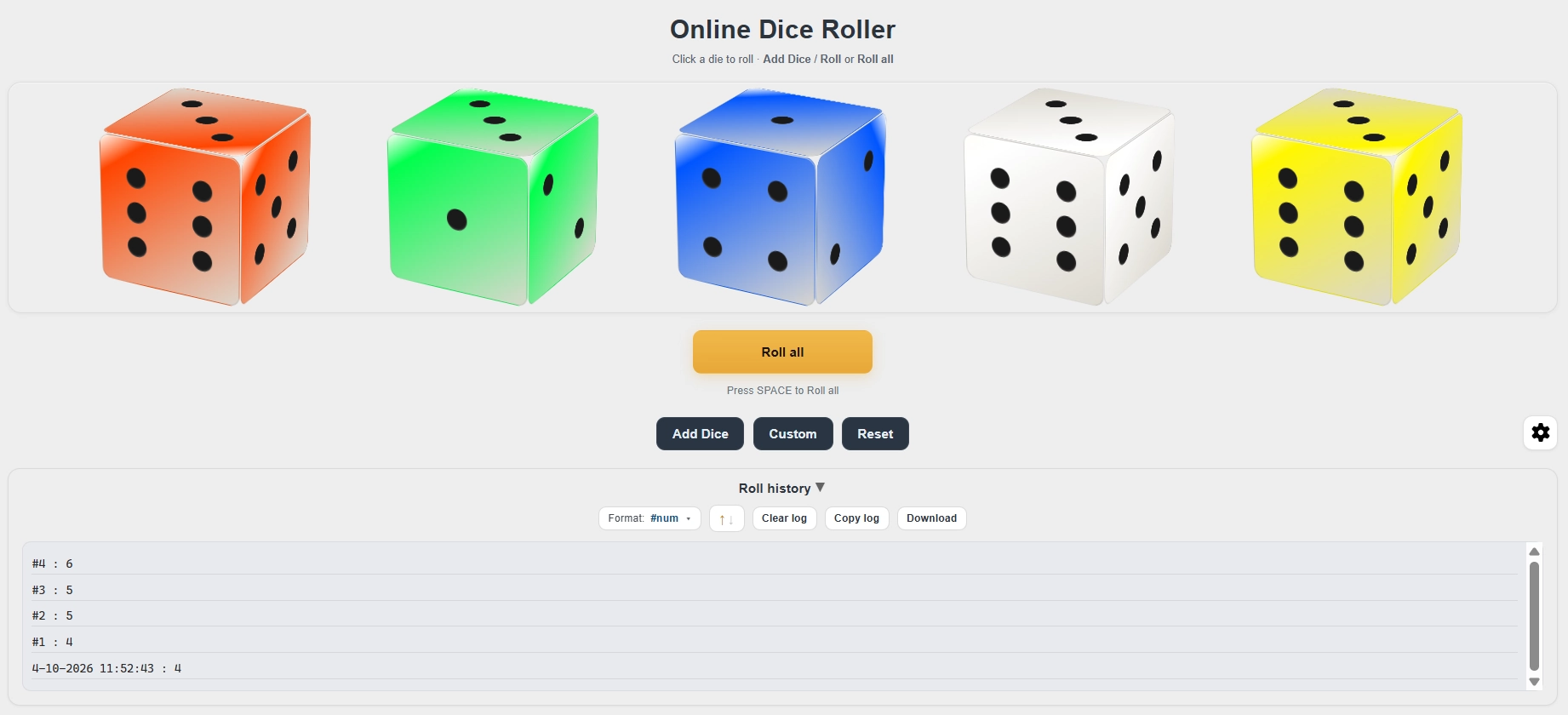
- Open the page and you'll see a clean area ready for dice.
- Click the Add Dice button to add more dice — you can add as many as your game needs.
- If you added too many, simply click the small x icon on any die to remove it instantly.
- Want to roll just one specific die? Click directly on that die.
- To roll everything at once, hit the Roll All button.
- My favorite shortcut: simply press the **SPACE** key on your keyboard — super fast and convenient during lively games.
- Enjoy the smooth 3D-style rolling animation as the dice tumble and settle.
- The final numbers appear clearly on each die for everyone to see.
- All your rolls are automatically recorded in the **Roll History** section below, so you can review what happened earlier.
That's it — no complicated menus, no learning curve. Even my young daughter figured it out in under a minute.
Make It Your Own - Customization Options
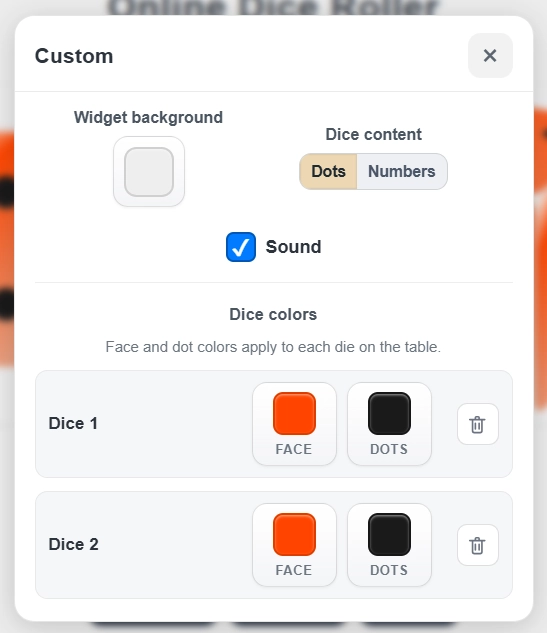
One thing I really appreciate is how much you can personalize the look and feel:
- Change the background color to match your game's theme or your current mood
- Toggle sound effects on or off (great for late-night sessions or when kids are sleeping)
- Switch between classic dot style and easy-to-read number display
- Choose any color you like for the dice themselves
- Adjust the color of the dots or numbers inside the dice for better contrast or style
These small customizations make each session feel unique and more enjoyable, especially when playing with children who love picking “their” colors.
Key Features That Make It Stand Out
- Add and remove dice effortlessly — Build exactly the combination you need in seconds
- Roll individual dice or roll all at once — Total flexibility for any game situation
- Automatic roll history — Keeps track of every roll so nothing gets forgotten
- Fast SPACE key shortcut — Roll instantly without touching the mouse
- Cryptographically secure randomness — Powered by
crypto.getRandomValues()for maximum fairness and unpredictability - Beautiful 3D-style rolling animation — Satisfying to watch without being distracting
- Full visual customization — Colors, sound, and display style all adjustable
My Personal Experience - Turning Simple Moments into Memories
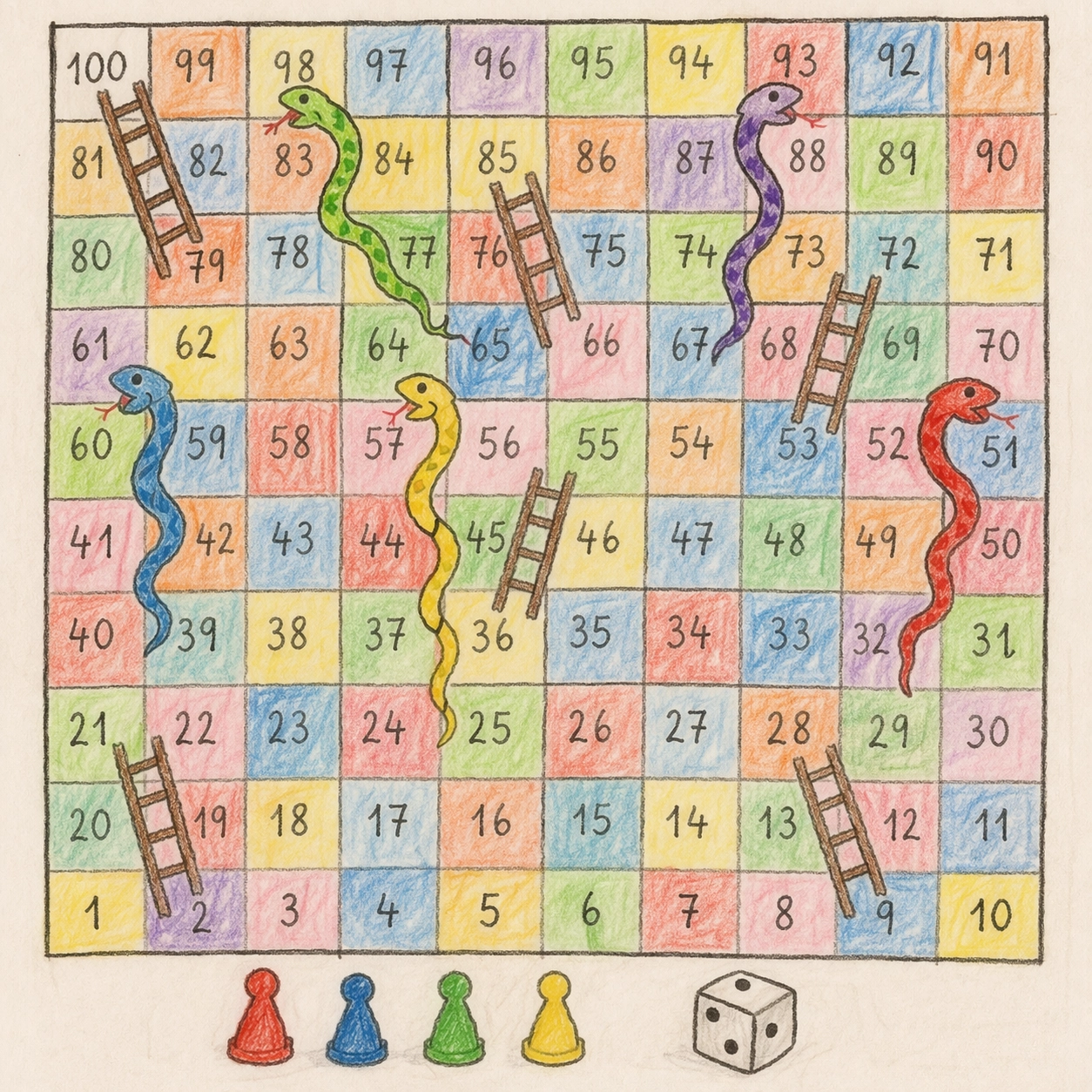
As a dad who loves spending weekends with my daughter, this online dice roller has quietly become one of our favorite tools. She loves drawing her own game boards on large sheets of paper. One of her proudest creations is “Treasure Race” — a vibrant board full of colorful paths, treasure chests, traps, and silly snakes.
While she's busy coloring and adding details with markers and crayons, I open this virtual dice roller and let her choose everything: the background color, the dice colors, whether she wants dots or numbers. Then we set the board on the living room floor and start playing. We take turns rolling dice 1-6 by pressing the SPACE key. When she rolls a high number and her piece dashes toward the treasure, her face lights up with pure joy. When someone lands on a snake and slides back, we all laugh together. The clear results and saved roll history prevent any “I rolled better than that!” arguments, so the game flows smoothly and we can focus on having fun.
We've also played homemade versions of Snakes and Ladders the same way. These simple weekend sessions — no lost dice, no setup stress, just laughter and quality time — have become some of my most cherished memories. What started as a practical solution has turned into something that genuinely brings us closer.
Why This Virtual Dice Roller Works So Well
Compared to hunting for physical dice or using cluttered online tools full of ads, SpinzyWheel keeps things simple and focused on fun. It has no gambling elements whatsoever — it's designed purely for entertainment, board games, tabletop RPGs like D&D and Pathfinder, classroom activities, and friendly group decisions.
Many players also enjoy combining it with a spin the wheel tool for more creative outcomes or using a quick coin flip online when they need a fast yes/no decision.
| Aspect | Physical Dice | Other Online Dice Rollers | SpinzyWheel Dice Roller |
|---|---|---|---|
| Convenience | Often lost or hard to find | May have ads or slow loading | Instant access on any device, no download |
| Randomness | Depends on how you shake them | Basic random generator | Cryptographically secure with crypto.getRandomValues |
| Customization | Limited to what you own | Few or no options | Full control over colors, sound, and display |
| History | None | Often resets when you close | Automatically saved across sessions |
| Focus | Pure fun | Sometimes mixed with other content | Clean and strictly for entertainment |
Comparison with Other SpinzyWheel Tools
| Tool | What It Does | Best Used For | Limitations |
|---|---|---|---|
| Roll a Dice (this tool) | Returns random number 1-6 (supports multiple dice) | Board games, D&D, quick fair decisions | Limited to 1-6 per die |
| Spin The Wheel | Custom random outcomes (you can set any values including 1-6) | Flexible games and custom rules | Less traditional “dice” feeling |
| Flip a Coin | Simple heads or tails (2 outcomes only) | Quick yes/no decisions | Only two possible results |
Frequently Asked Questions
- What exactly is this online dice roller?
- It's a free browser tool that lets you roll virtual dice with secure, fair randomness — ideal when you don't have physical dice or want something faster.
- How do I roll multiple dice together?
- Add the dice you need using the Add Dice button, then either click “Roll All” or simply press the SPACE key.
- Is the randomness really fair and secure?
- Yes. We use the browser's
crypto.getRandomValues()API, which provides cryptographically strong randomness. - Can I use it for D&D or other tabletop RPGs?
- Absolutely. It's fast, supports multiple dice, and many players rely on it during their campaigns.
- Is the roll history saved if I close the page?
- Yes, your recent rolls remain visible even if you close and reopen the browser later.
- Is everything completely free?
- Yes — 100% free, no ads, no sign-up, and no payments of any kind.
- Why is this tool not related to gambling?
- It's built purely for fun, board games, family time, and RPGs. We do not include or support any betting or real-money features.
If you're ready to make your game nights smoother and more enjoyable, give our online dice roller a try right now. Roll a few times, customize the colors, and see how it feels. You might just discover this virtual dice roller and random dice generator becomes part of your own favorite traditions too.
Want more ways to add randomness to your games? Feel free to explore our spin the wheel generator, check out hundreds of creative random wheel templates, or try our simple coin flip tool for quick decisions.